



Setting healthy screen rules for the new year
16 January, 2026
Why not use the start of the year to take time to rethink the place of screens in your family life? Between tablets, phones, computers, game consoles and television, screens often take up too much room in the daily lives of kids and parents alike, and ideally you'll want to set clear, realistic rules that encourage balanced, healthy screen use for the whole family.
Assess the current situation before acting
Before you impose new rules, take the time to honestly assess how screens are really used in your family. For one week, observe and note how much time each family member spends in front of a screen, at what time of day and for which activities. This awareness often uncovers habits whose true extent you hadn't suspected.
Questions to ask yourself:
- How many hours a day does each child spend in front of a screen?
- Do screens interfere with sleep, homework or physical activity?
- Are there times when the whole family is absorbed in their devices with no interaction?
- Do parents model the behaviours they hope to see in their children?
- Which activities have been replaced by screen time?
This honest assessment is the foundation on which you'll build your new family rules.
Create screen-free zones and times
One of the most effective strategies is to set up spaces and times where screens are consistently off-limits for everyone, parents included. This approach creates precious moments of family connection!
Recommended screen-free zones:
- The dining table (all meals are phone-free)
- Bedrooms (especially the hour before bedtime)
- The car (at least on trips under 30 minutes)
- The bathroom
Essential screen-free times:
- The first and last 30 minutes of the day
- During homework and creative activities
- During face-to-face conversations
- Sunday mornings with the family
- One full evening a week designated “screen-free”
These rules apply to every member of the family, without exception! Children really do accept restrictions much better when they see their parents following them too.
Set clear time limits by age
Screen needs and limits vary considerably with a child's age. So adapt your rules accordingly, while staying consistent in how you apply them.
Recommendations by age group:
Ages 0 to 2: No screens, except video calls with faraway family
Ages 2 to 5: A maximum of 1 hour a day of quality educational content, always with an adult
Ages 6 to 12: 2 hours a day maximum, including television, tablet and video games
Prioritize content quality
Not all screen time is equal. Watching an educational documentary as a family is radically different from passively watching random YouTube videos. So take the time to set quality criteria for what gets watched.
Criteria for acceptable content:
- Appropriate for the child's age and development
- Educational or creative rather than purely passive
- Encourages interaction or reflection
- Free of gratuitous violence or inappropriate messages
- Ideally watched together as a family so you can talk about it
Together, create a list of approved apps, shows and games for each child. This will help you avoid endless negotiations every time a child asks for screen time.
Put a concrete management system in place
Good intentions won't be enough if there's no concrete system to enforce them. So make sure you choose a screen-time management method that works for your family.
Effective management options:
- Daily screen tickets or tokens that the child can spend whenever they like
- Parental control apps with automatic limits
- A visible timer that the child sets themselves before starting
- A tracking chart where the child records their own use
- An “earned screen time” rule once chores and responsibilities are done
The system you choose should be simple to understand, easy to apply and flexible enough to adapt to exceptional circumstances.
Offer attractive alternatives
Children often turn to screens out of boredom or a lack of interesting alternatives. So your job isn't only to restrict, but also to offer stimulating alternatives.
Screen alternatives to keep easily accessible:
- A variety of craft supplies
- Board games within easy reach
- Sports equipment for moving around indoors
- Appealing books, ideally refreshed regularly
- Musical instruments
- Space to build (with blocks or LEGO, for example)
The more accessible and appealing these options are, the less pull screens have by default.
Involve the kids in setting the rules
Rules imposed from above generally meet more resistance. So hold a family meeting instead, where everyone can speak up about current screen use and suggest rules they think are fair.
Topics to discuss as a family:
- Why do we limit screen time?
- Which rules seem fair to you?
- What are the consequences if the rules aren't followed?
- How can we support one another?
This collaborative approach turns screen rules dictated by parents into a shared family commitment, greatly increasing the chances of success.
Review and adjust regularly
Needs change as children grow and technology evolves. So schedule a quarterly review of your screen rules to make sure they stay relevant and realistic.
By setting clear, consistent and fair screen rules right from the start of the year, you create a healthy framework that will let your family enjoy the benefits of technology without the downsides. The goal isn't to eliminate screens completely, but to use them consciously and in balance, leaving room for the physical, creative, social and family activities that are essential to your children's healthy development.
To take your thinking even further, check out our special feature!
Put these tips into practice
Get the whole family organized with Octave
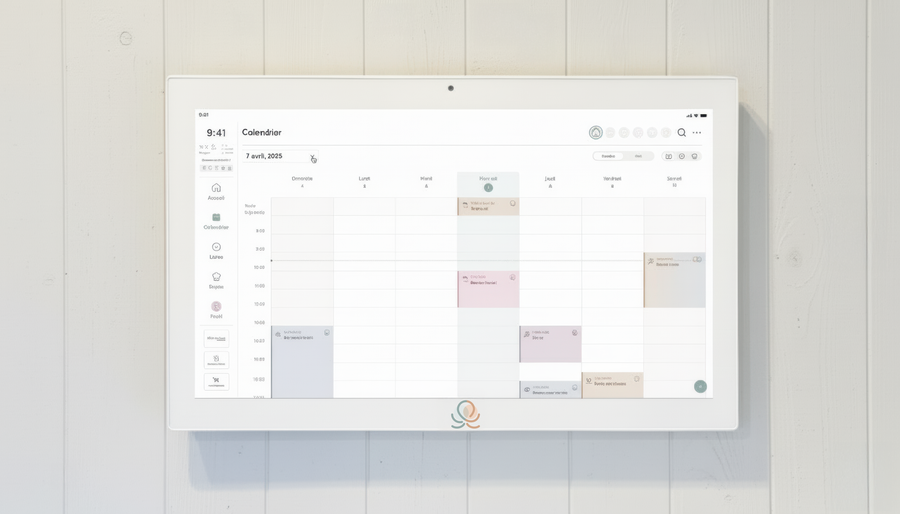
Meals, chores, the calendar and routines for the whole family in one place: on everyone's phone and on the Station on your wall.
The app is free on iOS and Android.