



Nine folders to free your mind: how I organize my family life in Octave and how you could do the same
29 July, 2026
At our house, next week has 138 tasks.
That number might sound overwhelming. It should, really. Except that I no longer carry them all by myself in my head. They live in a shared system, where everyone knows what's theirs to do and nothing gets lost.
This system rests on one very simple idea: dividing family life into nine departments. Each one becomes a folder in Octave. Each one holds its own lists, routines and shopping.
Here's how it works, and how you could set it up in your own home.
1. Why create departments
You can try to run a family's life without any structure. Most mothers do, by default. But the information always ends up piling up in one place: their heads. Dentist appointment, school form, errands to run, the dog's vaccine, bills to pay, birthday gift to pick out. Everything gets jumbled, everything overlaps, and nothing is really shared.
The solution is to create clear categories: not too many (or you get lost), not too few (or everything still gets jumbled).
After several years of tweaking, I found that nine departments cover all of family life with no overlap and no gaps. That number works. Seven is too few. Twelve is too many.
2. The nine departments
Finances and administration. Task lists tied to deadlines (insurance renewals, payments, tax returns), reminders for recurring payments.
Meal planning and preparation. Weekly grocery lists, freezer inventory lists, prep tasks (taking the chicken out of the freezer, planning the menu).
Care and health. Appointment-related task lists (to book, to confirm, to attend), reminders for upcoming vaccines, personal wellness routines, pharmacy shopping lists.
Housekeeping. Lists of recurring household chores (daily, weekly, monthly, seasonal), shopping lists for cleaning products.
Education and school management. Back-to-school task lists, school supply shopping lists, the kids' routines (morning, evening, homework).
Leisure, vacations, celebrations and special occasions. Prep task lists (packing, reservations), gift shopping lists.
Major projects and outdoor work. Seasonal task lists (pool opening, winter prep, maintenance), shopping lists for materials.
Transportation. Car maintenance task lists (tire changes, garage appointments), registration renewal reminders.
Pets. Vet task lists (vaccines, deworming), shopping lists for food and accessories.
3. HOW TO CREATE THEM IN OCTAVE
This is where theory becomes practice.
Step 1: The binder. In Octave, the Lists section lets you create a BINDER. Mine is called Family Life. It's your big container.
Step 2: The nine folders. Inside the binder, create nine FOLDERS, one per department. Name them with the same labels you want your family to use: it's the start of your shared vocabulary.
Step 3: The lists. Then, in each folder, create the LISTS that speak to you. They're the ones that hold the actual tasks.
An example from my home.
In the Meal planning and preparation folder, I have three active lists: Monthly groceries (56 tasks), Meal tasks (reminders like “take the chicken out of the freezer”), and Meat inventory (7 tasks).
In the Housekeeping folder, I have Household chores (69 recurring items), Seasonal sorting and tidying, and Household products shopping list.
In the Education folder, I have Back-to-school tasks, Routines (the kids' routines), and Back-to-school shopping.
No need to create everything at once. You can start with a single folder and grow at your own pace.
4. The two big advantages
Advantage 1: A shared vocabulary
The first benefit is immediate. When everyone in the family uses the same phrases, like “it's in the health folder” or “it's in the meals folder,” communication becomes ten times smoother. Everyone knows where to find the lists of things to do or buy.
The kids eventually pick up the vocabulary too. They know the gift suggestions are in the Celebrations, leisure and special occasions folder. That their school stuff is in the Education folder. The language becomes shared, and that alone is already an enormous mental relief.
Advantage 2: Sharing out responsibilities
The second benefit is the most powerful, but it has to be understood correctly. Each folder can have someone in charge, but being in charge doesn't mean doing everything. It means being the one who plans, who delegates, and who tracks the folder's progress.
It's a bit like a department head in a company. They hold the thread of the folder, they know what's in progress, they coordinate, they delegate, but they don't do every task themselves.
At our house, Phil coordinates the projects, transportation and health. I take finances, meals, housekeeping and school. Leisure and vacations, we share. We each delegate on our own side depending on the tasks, sometimes to each other, sometimes to the kids, but whoever is in charge keeps the big picture.
This nuance changes everything. It turns the mental load into coordination work, work that is named, visible, and can be shared.
5. A concrete example of a week at our house
Let's look at a typical week at our house.
The Meals folder is active every day. Monday morning, Octave reminds me to take the chicken out of the freezer for Tuesday. Tuesday evening, the weekly grocery list fills itself in from the menu I created in the meals section. Thursday, I notice the meat inventory is low, so I delegate the order to Phil, who receives it in his own feed.
In the Education folder, the Routines list (the kids' routines) kicks in every morning and every evening. Brushing teeth, packing the school bag the night before, putting away the day's clothes. Nine daily tasks that, once in place, give the kids more responsibility without us having to repeat ourselves a hundred times. They see their routines in their own Octave view and check them off as they go.
And sometimes, it's just for yourself. My “wellness routine” list is in private mode. Sixteen tasks (hydration, movement, self-care) that I wanted to set up without having to announce or justify them to anyone. Some things you keep to yourself, even in a shared system.
The fact that these routines coexist with the 138 family tasks without competing with them may be the system's greatest gift: everyone in the house can have personal routines, invisible to others, alongside the shared feed.
6. Where to start?
The classic trap is trying to structure everything at once. It's the best way to give up within three days.
My recommendation: start with just ONE folder. The Housekeeping folder is an excellent entry point. That's where the “shared vocabulary” concept shows up fastest, and where sharing the load can be set up most quickly.
Once that folder has been working well for a few weeks, add a second one. Then a third. You'll see: the system settles in naturally, at your own pace.
You don't need nine folders up and running by the first month. You need a single, well-used folder that proves to the whole family that it works.
The family mental load is not inevitable. It's the result of a lack of structure and a lack of shared language. When you give the whole family a shared vocabulary and name the coordination responsibilities, the load stops being invisible. It becomes work that can be shared, not because the tasks divide up perfectly, but because the big picture is no longer carried by one person alone.
To see concretely how my own lists are structured in Octave, I made an Instagram reel:
watch it here →https://www.instagram.com/dominiqueberneche/reel/Da3HHk1Erqk/
The Octave app is available for free. Create your first folder and see for yourself.
Put these tips into practice
Get the whole family organized with Octave
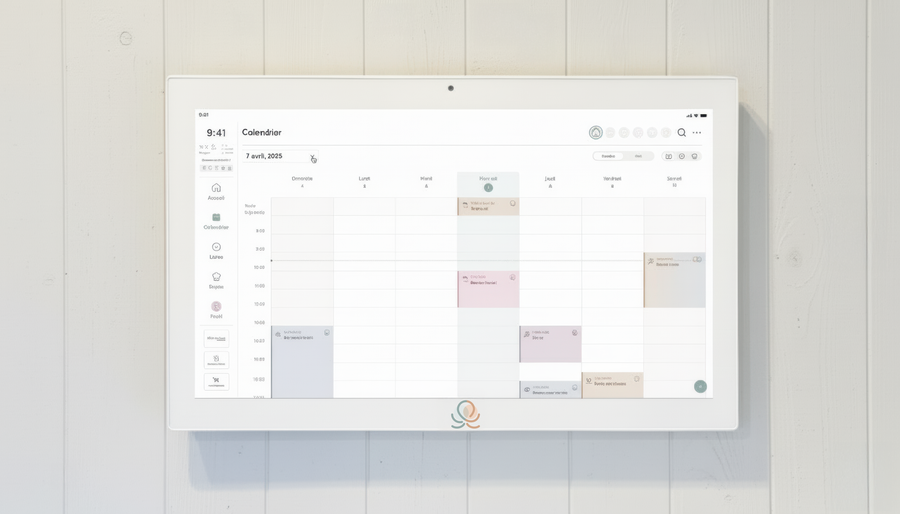
Meals, chores, the calendar and routines for the whole family in one place: on everyone's phone and on the Station on your wall.
The app is free on iOS and Android.